ThinkDiag+
- 4.3
- Rating
- 1.00M
- Installs
- Free
- Price

 Analysis by App-foxy
I spent time with ThinkDiag+ as a practical vehicle-diagnostic app rather than treating it like a simple dashboard accessory. Its purpose is straightforward: help you investigate warning lights and understand what your car is reporting before you decide what to do next. That makes it interesting for drivers who dislike guessing when the check-engine light appears, but it also means the experience depends heavily on the compatible diagnostic hardware and the vehicle being tested.
This is an Android app in the Auto & Vehicles category, developed by THINKCAR TECH CO., LTD. It is free to install, suitable for Everyone, and supports Android 5.0 or later. The app has reached over 500 thousand installs and holds a 4.2 average from around 10 thousand ratings, with more than 700 written reviews. Those figures suggest that it has found a substantial audience, although popularity alone does not guarantee that it will work equally well with every car or every user’s expectations.
Using ThinkDiag+ when a warning light appears
The most useful way to approach this app is as an information-gathering tool. When a warning appears, I would rather read the vehicle’s diagnostic information than immediately assume the worst or replace a part based on a guess. ThinkDiag+ is designed for that first investigation: connect the appropriate diagnostic device, open the app, and use the results to decide whether the issue looks urgent, whether the car can be driven carefully, or whether a workshop should take over.
You May Also Like

 Blood Strike: 2.5 Anniversary
Blood Strike’s Loadouts Turn Every Drop Into a Tactical Gamble
A close look at Blood Strike’s custom loadouts: how fast access to signature weapons reshapes its battle royale rhythm, rewards preparation, and narrows the gap between fights.

 Pandora - Music & Podcasts
Pandora’s Music Is Easy to Start, but Harder to Recover
Pandora’s strength is its low-effort path from a seed to a station. Its weak spot is how much confidence it asks you to place in connection, setup, and quiet recovery.

 8 Ball Pool
 Is Built on Rivalries, Rematches, and Routine
A close look at the rivalries, rematches, shared routines, and unanswered safety questions that turn a quick pool match into a persistent mobile community.

 Samsung Music
’s Quiet Strength Is Playing What You Already Own
Its reach comes less from spectacle than from dependable access to a personal library. That simplicity is both the app’s strongest retention engine and its ceiling.

 AccuWeather: Weather Radar
AccuWeather Review: A Quick, Clear Forecast for Everyday Decisions
For everyday plans, the best forecast is the one you can understand quickly. AccuWeather makes rain timing, radar, and local conditions easy to act on, with a few trade-offs.

 Hill Climb Racing
Why Hill Climb Racing Still Turns Crashes Into One More Run
A tiny car, a bumpy hill and one more upgrade: Hill Climb Racing keeps resurfacing because its simple chaos makes every near-miss feel personal.
More From Our News Desk
View All News


That distinction matters. A diagnostic code is not always a complete diagnosis. It can identify a system or condition that needs attention, but it may not tell you which physical component has failed. I found that the app makes the early stage of troubleshooting more approachable, while the final interpretation still requires mechanical knowledge in many cases. Someone who sees a code and treats it as a guaranteed parts list could easily spend money in the wrong place.
The app’s store summary focuses on scanning the vehicle and removing the mystery around an illuminated engine warning. In everyday use, the real benefit is less dramatic but more useful: it gives you a starting point for a conversation with a mechanic. Instead of saying only that a light appeared, you can explain what the vehicle reported and when it happened. That can make a workshop visit more focused, even when professional testing is still necessary.
What the free installation actually gives you
The app itself is free, which lowers the barrier to trying it. That is the clearest cost fact I can verify from the product information, and it is important not to confuse free installation with a completely cost-free diagnostic setup. Vehicle scanning normally depends on compatible hardware, so the overall expense is not determined by the app download alone. I would check the exact device and service requirements for the vehicle before assuming that installing the app is all that is needed.
This makes ThinkDiag+ different from a generic information app. It is not simply a library of warning-light explanations that works independently of the car. Its value begins when it can communicate with the vehicle through the intended diagnostic equipment. If you already have compatible THINKCAR hardware, the free app is a more natural addition. If you do not, the hardware decision becomes part of the purchase calculation, and the app’s free label should not be read as a promise of a fully free diagnostic experience.
I also appreciate that this is an area where precision matters more than a tempting headline price. Before committing, I would confirm three things: whether the hardware supports the vehicle, whether the functions I need are available for that vehicle, and whether any service or feature access is handled separately. The information available here confirms that the app is free, but it does not turn every possible diagnostic function into an included benefit. That is a sensible distinction for anyone comparing it with a basic code reader.
Where the app can save time
The strongest value is convenience. A driver can investigate a warning before arranging a visit, a small garage can use the phone as part of its workflow, and a technically confident owner can keep a record of what happened during troubleshooting. The app can also help separate a persistent warning from a one-time event that still deserves attention but may need a different approach.
A realistic example would be a car that shows an engine warning on the way home. I would park safely, avoid making an immediate decision based on fear, and use ThinkDiag+ to read the available diagnostic information. If the vehicle is running badly, overheating, losing power, or showing another serious symptom, I would not let an app result encourage me to continue driving. If the car feels normal, the scan could help me decide whether to arrange a prompt inspection or ask a mechanic a more informed question.
That workflow is more valuable than simply clearing a light. Resetting a warning without understanding why it appeared can hide a recurring issue. I would treat clearing codes, where available in the relevant setup, as the last step rather than the goal. First record the result, note the driving conditions, and consider whether the fault returns. The app is most useful when it supports that disciplined process instead of becoming a button for making an inconvenient warning disappear.
Small habits that make the results more useful
One practical tip is to scan before changing anything. If you disconnect a battery, replace a sensor, or erase information too early, you may lose context that could help with diagnosis. I would save or photograph the displayed result, write down the symptoms, and note whether the warning appeared during a cold start, acceleration, idling, or after refueling. That extra context often matters more than the code alone.
A second tip is to compare the scan with the car’s behavior rather than reading it in isolation. A code related to a sensor does not automatically prove that the sensor itself is defective; wiring, air leaks, power supply problems, or another underlying fault can produce similar symptoms. ThinkDiag+ can point me toward the right area, but it cannot replace a test plan. This is where a careful owner gains more value than someone who expects an instant answer.
A third useful habit is to keep the vehicle identity and diagnostic session organized. If several family cars are being checked, I would record which result belongs to which vehicle and avoid assuming that the same code has the same meaning across different engines or systems. The app’s usefulness increases when it becomes part of a repeatable maintenance routine rather than an emergency download used once and forgotten.
How it compares with ordinary alternatives
The nearest alternative is a basic standalone code reader. That kind of tool can be attractive because it is direct, often easier to understand, and not dependent on a phone interface. For a driver who only wants to read a common engine code occasionally, a simple reader may be the better choice, especially if the buyer values a fixed device and minimal setup.
ThinkDiag+ makes more sense when the phone-based workflow is important and when the connected THINKCAR ecosystem matches the vehicle and intended use. A phone can make results easier to review and can fit more naturally into a garage or home-maintenance routine. The trade-off is that there are more points where compatibility, connection, account access, or feature availability may affect the experience. A standalone reader may feel less flexible but also less complicated.
Professional workshop equipment remains a different class of alternative. A trained technician has access to broader testing methods, physical inspection, service knowledge, and the ability to interpret live symptoms. I would not use ThinkDiag+ as a reason to skip professional help when a warning is accompanied by unsafe driving behavior or when the result is unclear. Its role is better described as an informed first step and a useful companion, not a replacement for a complete workshop diagnosis.
Where the trade-offs become noticeable
The biggest limitation is that the app cannot make vehicle diagnostics universal. Compatibility is central, and the experience may vary according to the car, the connected equipment, and the functions available for that setup. Anyone expecting one identical feature set across every make and model should slow down before relying on it. The sensible approach is to verify the exact vehicle and hardware combination first.
There is also a learning curve. Reading a code is easier than understanding its cause, and a technically worded result can leave a new driver with more questions than answers. I see that as a manageable weakness for curious users, but it is a real drawback for someone who wants a plain-language yes-or-no diagnosis. The app can reduce uncertainty without eliminating it.
Another trade-off is the temptation to overvalue digital information. A scan may make a problem feel controlled, even though a physical inspection is still needed. I would be particularly cautious with braking, steering, fuel, overheating, and drivability symptoms. In those cases, the app may contribute useful evidence, but the safe decision should be based on the vehicle’s behavior and professional advice, not only on the screen.
The current version is 3.2.8, and the app supports Android devices from version 5.0 onward. That broad operating-system reach is helpful for people using an older Android phone as a garage device. Still, software support alone does not guarantee a smooth session: the connected diagnostic equipment, vehicle communication, and the user’s ability to interpret the result remain just as important as the phone running the application.
Who is likely to get the most value
I would recommend considering ThinkDiag+ if you enjoy handling basic vehicle checks yourself, want more information before calling a repair shop, or manage more than one car and prefer a phone-based record of diagnostic sessions. It can also suit small independent garages that want a mobile interface for preliminary checks, provided the hardware and vehicle coverage meet their needs.
It is especially useful for the driver who can stay calm when a warning appears. That person will read the result, record it, compare it with symptoms, and know when to stop experimenting. The app rewards a methodical user. It is less suitable for someone who wants to press one button and receive a guaranteed repair instruction.
I would skip it if your only requirement is occasional basic code reading and you already prefer a simple standalone scanner. I would also skip relying on it as your sole diagnostic solution if you operate vehicles where downtime, safety, or complex system faults demand professional equipment and trained interpretation. In that situation, the app may still be a supplementary tool, but it should not be the center of the maintenance process.
For iPhone users, the practical question is platform availability and the exact supported setup before making plans. The confirmed product details here describe an Android app with a minimum requirement of Android 5.0, so I would not assume that the same experience automatically applies to another mobile platform. Checking the appropriate platform listing and compatible hardware is essential rather than treating the app name alone as proof of support.
My verdict on the value
ThinkDiag+ delivers its best value as a bridge between a mysterious warning light and a sensible next action. The free app installation makes initial consideration easy, but the complete cost and usefulness depend on the diagnostic hardware and the functions available for the vehicle. That means I would judge it as a tool purchase, not merely as a free download.
After using it as a diagnostic aid, my recommendation is selective. I would choose it for a hands-on owner who wants structured information and is prepared to learn what scan results do and do not prove. I would choose a basic reader for someone who values simplicity above flexibility, and a professional workshop for faults that are safety-critical, complicated, or persistent.
Overall, ThinkDiag+ is worthwhile when it fits a clear workflow: connect the right equipment, scan before erasing anything, record the result, compare it with real symptoms, and escalate when needed. Its 4.2 average and broad user base make it a credible option to investigate, but the more important question is whether it matches your vehicle and your expectations. If you want informed troubleshooting rather than a magic repair button, it is a sensible app to consider.
FAQs for ThinkDiag+
01What is ThinkDiag+ and what features does it offer?
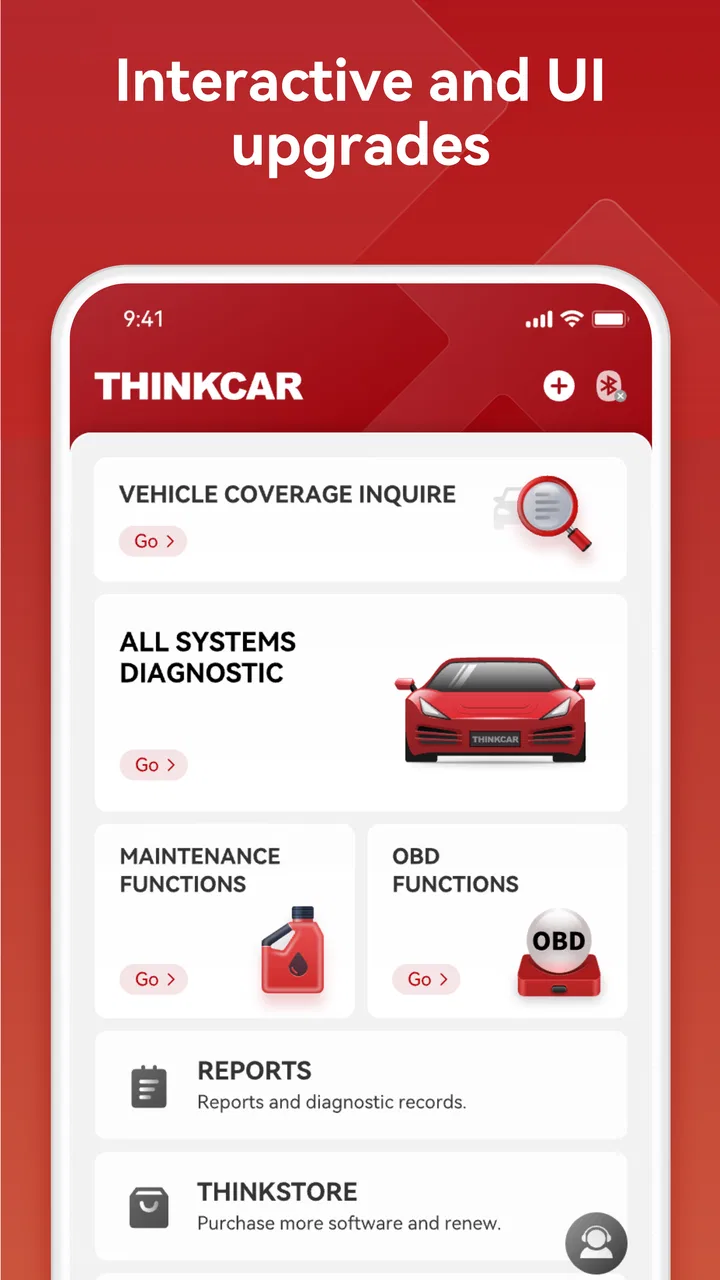
ThinkDiag+ is a professional diagnostic tool designed for automotive enthusiasts and mechanics. It enables users to perform a wide range of diagnostics on vehicles, including reading and clearing error codes, performing system tests, and accessing real-time data. The app supports various car brands and offers features such as maintenance reset, battery registration, and more.
02Is ThinkDiag+ compatible with my vehicle?
ThinkDiag+ supports a broad range of vehicle makes and models. However, compatibility can vary based on the specific features available for each vehicle. It’s recommended to check the official compatibility list on the app’s website or contact customer support to ensure your vehicle is fully supported before purchasing.
03How does ThinkDiag+ connect to my vehicle?
ThinkDiag+ connects to your vehicle via a Bluetooth-enabled OBDII adapter, which you plug into your vehicle’s OBDII port. Once connected, the app communicates with the vehicle’s onboard computer to perform diagnostics. Ensure that Bluetooth is enabled on your smartphone or tablet for a seamless connection.
04Are there any subscription fees associated with ThinkDiag+?
Yes, ThinkDiag+ typically requires a subscription to access its full range of features and regular updates. The app may offer different subscription plans, allowing users to choose based on their diagnostic needs and budget. Pricing details can be found on the app’s official page or within the app itself.
05Is ThinkDiag+ user-friendly for beginners?
ThinkDiag+ is designed with an intuitive interface, making it relatively easy for beginners to navigate. The app provides detailed instructions and support, which can be helpful for those new to vehicle diagnostics. However, some familiarity with automotive terms and systems might enhance the user experience.
Pros
- Comprehensive diagnostic tool.
- User-friendly interface design.
- Supports multiple vehicle brands.
- Frequent software updates.
- Affordable pricing for features.
Cons
- Requires internet for some functions.
- Limited free features available.
- Occasional connectivity issues.
- Subscription required for full access.
- May drain device battery quickly.

ThinkDiag+
Gallery